– Workflow Improvements

Nest Wealth

A potential banking client is grappling with a cumbersome and asynchronous book transfer workflow. Within a tight timeframe, we were tasked with presenting an alternative solution that would streamline and reimagine the way they work.

Role
Design Lead
Platform
Web App
Year
2024
Duration
1 Week
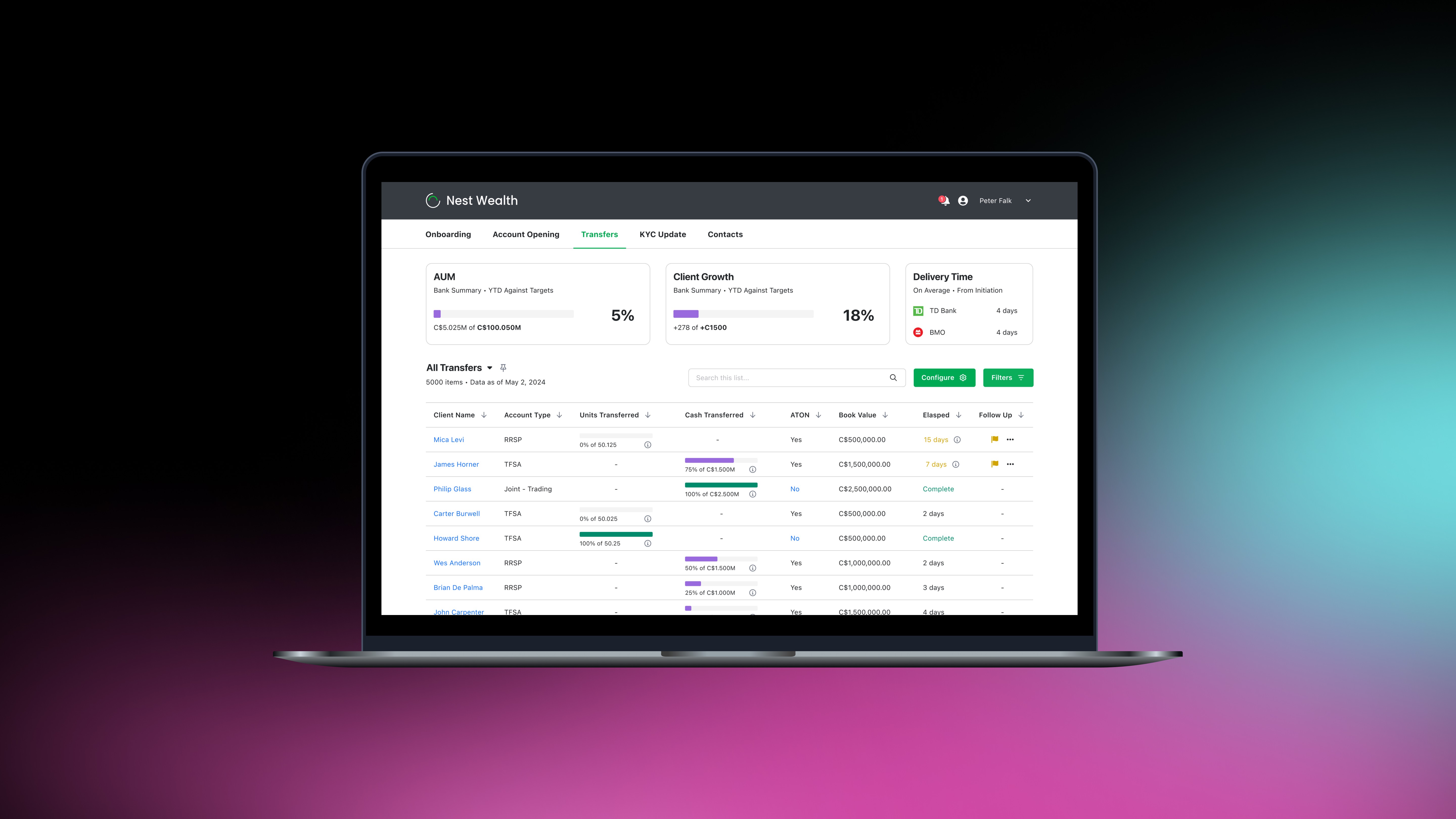
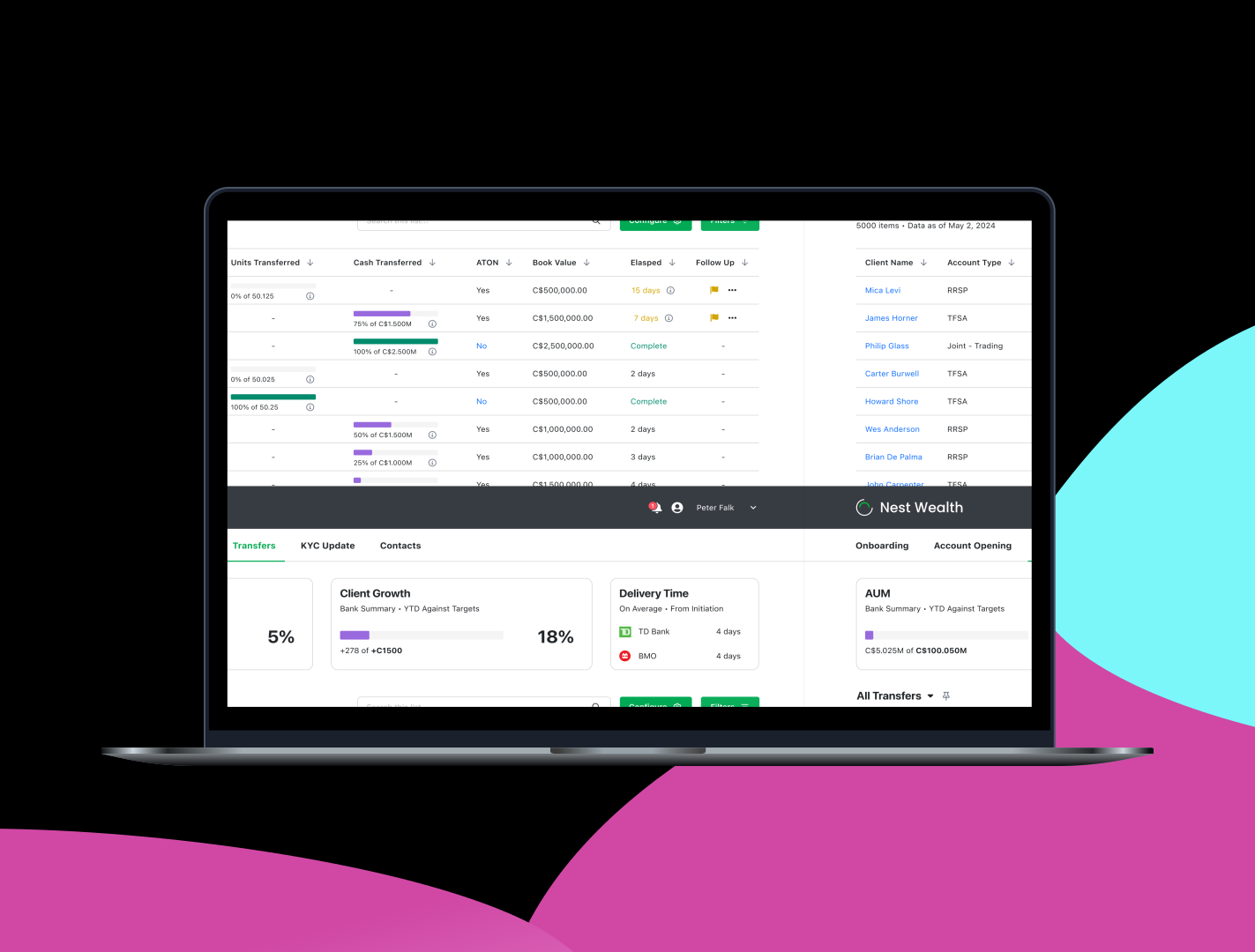
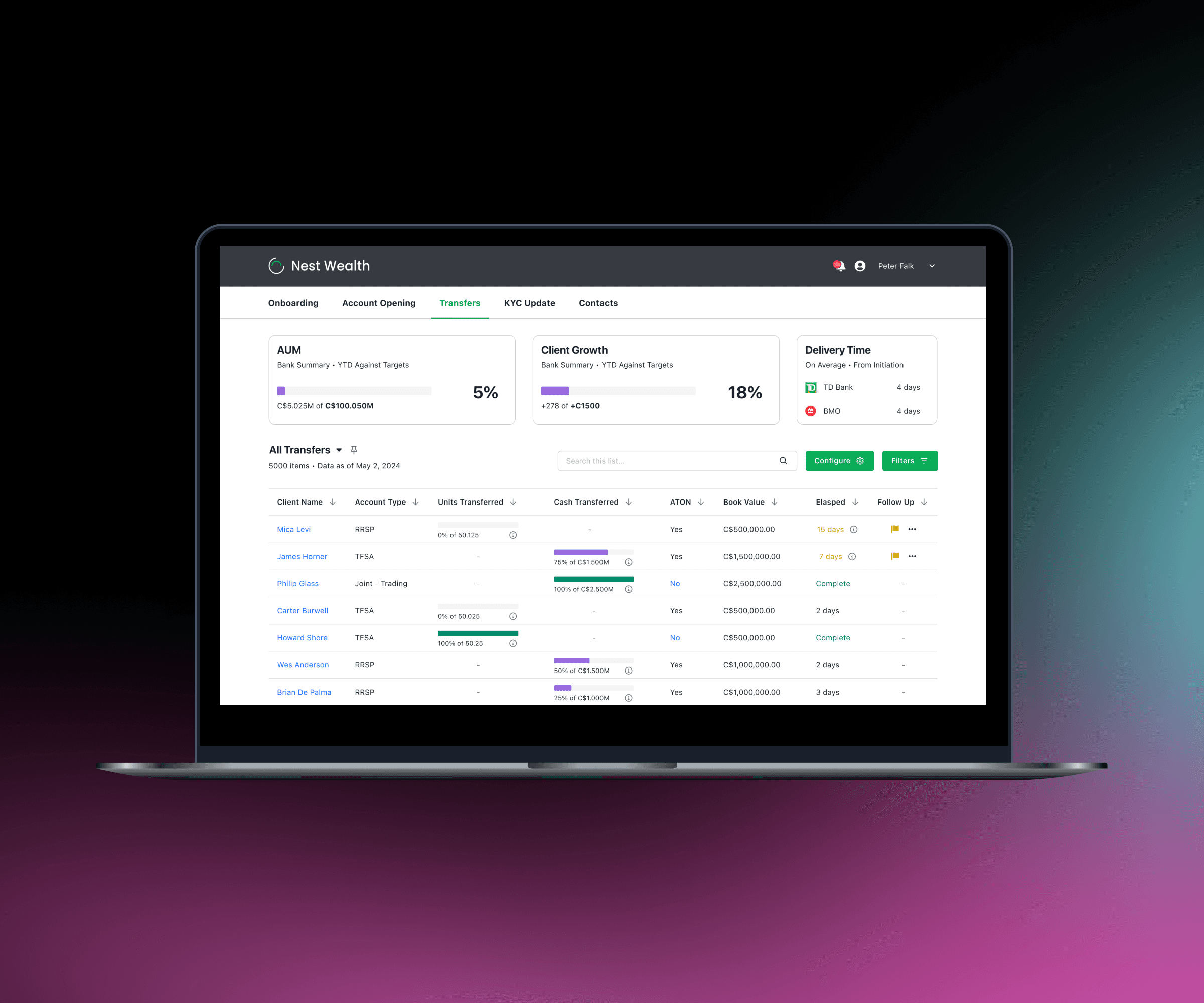
A laptop with financial software on it

So…let's talk about your workflow 😧

So…let's talk about your current workflow

At a high level, when an investment advisor moves from one bank to another, they bring their entire book of clients with them. The bank assigns a dedicated team to manage and oversee this client and investment transfer process.

Through discussions with this team, we mapped out their workflow and identified the pain points experienced by various stakeholders:

When an investment advisor moves from one bank to another, they bring their entire book of clients with them. The bank assigns a dedicated team to manage and oversee this client and investment transfer process.

Through discussions with this team, we mapped out their workflow and identified the pain points experienced by various stakeholders:

Disconnected workflow across teams

Currently, client and investment information is managed using an Excel file that teams email back and forth to update. This fragmented approach results in a lack of real-time data visibility and prevents integration with the bank's wider tech stack.

One-size-fits all approach

Investment advisors, branch managers and members of the transfers team all view this data. However, each group has different data needs based on their roles. For example, branch managers are primarily interested in data specific to their branch. The lack of role-driven customization in data views hinders efficiency and relevance for each stakeholder.

Challenges with static data

The data file circulating via email makes it difficult to difficult to track edits or identify the most recent changes. Moreover, there's a risk of unnoticed data corruption due to this manual handling.

A complex workflow map with several pain points illustrated

Mapping out a plan to deliver value 🗺️

With an understanding of the pain points that exist in the current flow, we mapped out what an ideal workflow and process would contain. More than simply recreating an Excel file in a new piece of software, we wanted to connect teams and use automation to accelerate the transfer process.

The design we looked to present would be:

Unified and integrated solution across teams

Our proposed solution would aim to enable easy access to data for all stakeholders while seamlessly integrating into their existing day to day tech stack.

Role based and configurable

Instead of a one-size-fits-all approach, our solution would provide role-based views by default and empower users to further configure their views according to their needs, ensuring flexibility for any use case.

Update to date, actionable and automated

We would ensure that users always access the latest data with a clear audit trail of any changes. We would also automate updates, notifications and outreach emails to delivery institutions to supercharge workflows.

A complex workflow mapped out with improvements to a workflow shown.

Final designs

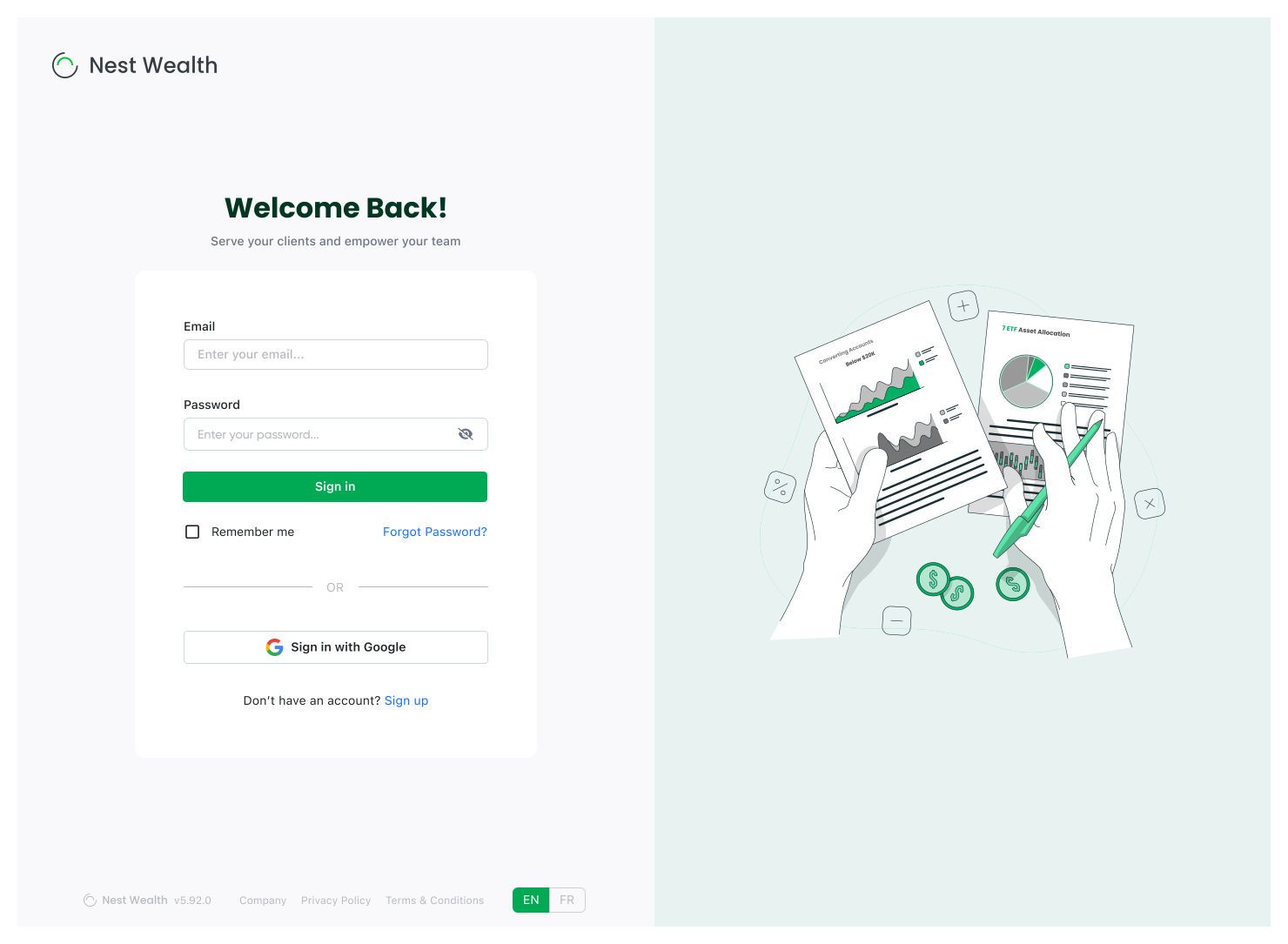
A simple and clean looking login screen.
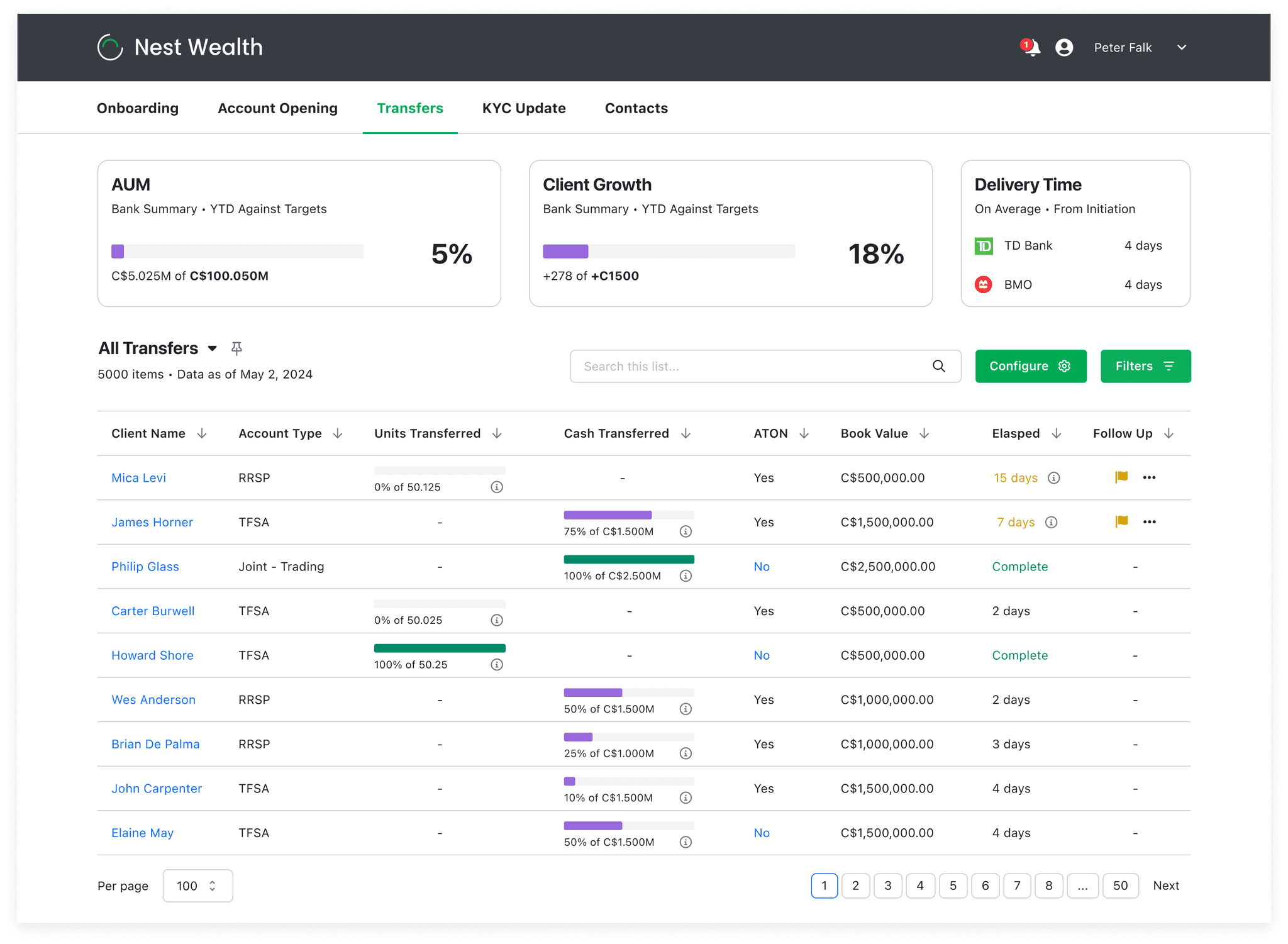
A dashboard with a comprehensive data table and several widgets above it measuring various KPIs.

Zooming in on the details 🔎

Zooming in on the details

Role based views and KPI tracking

Different teams can track their progress against annual AUM and client growth targets. Delivery times for transferring institutions are displayed and updated regularly based on ongoing performance metrics.

A zoomed image of three widgets tracking KPIs.
Comprehensive and actionable data

The data table tracks transfers, displaying book value, elapsed time, and portfolio type. If a transfer exceeds the delivering institution's average delivery time, the system automatically flags it for follow-up.

A zoomed in image of part of table.
Creating and saving custom list views

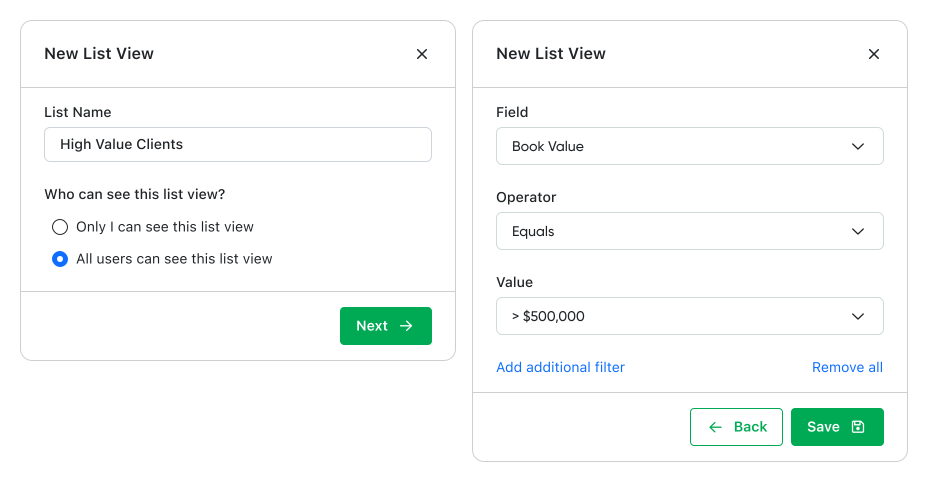
Users can create and save custom list views, offering flexibility and control over the main data table. These views can be kept private or shared across teams.

Two modals showing the ability to create a list view.
Full audit trails and contextual notes

A comprehensive automated audit trail of all client transfer activities is supplemented with the capability to add contextual notes.

Two modals showing an audit trail of transaction progress.
Notifications and follow up

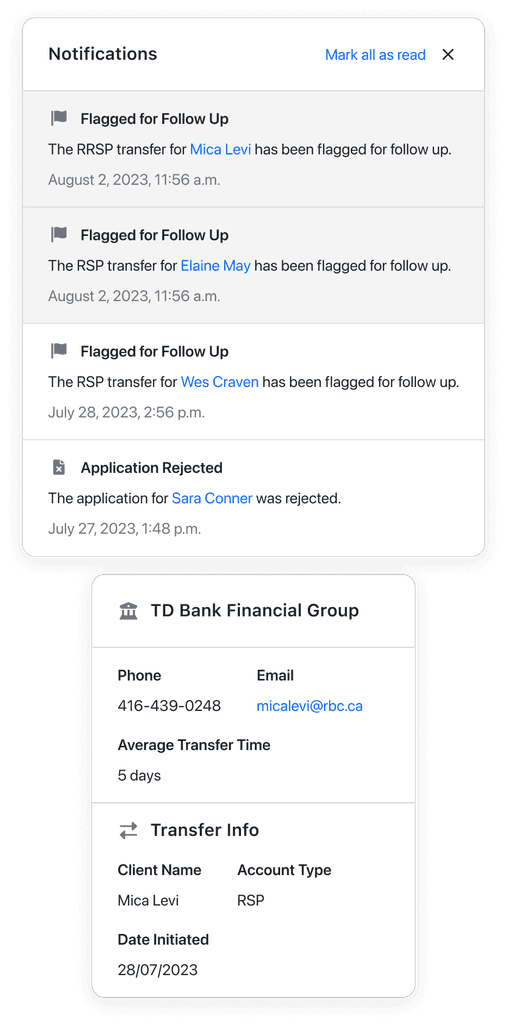
Whenever a transfer is flagged for follow-up—whether automatically or manually—users receive notifications. These notifications provide easily accessible information about the account and delivering institution, enabling prompt action.

Two modals showing notifications and delivery institution information.
Role based views and KPI tracking

Members of various teams can see how they are progressing against their own yearly AUM and client growth targets. The delivery time for transferring institutions is updated based on past performance.

Comprehensive and actionable data

The data table tracks transfers and displays book value, time elapsed and type of portfolio. If a transfer elapses the delivering institutions average delivery time, it is automatically flagged by the system for follow up.

Creating and saving custom list views

The ability to create and save list views gives flexibility and control over what appears in the main data table. This list views can be private or shareable across teams.

Full audit trails and contextual notes

All activity related to a client’s transfers is accessible through an automated audit trail, along with the ability to add notes for context.

Notifications and following up

Whenever a transfer is flagged for follow up, either automatically or manually, the user receives a notification that they can act upon using easily accessible information about the account and delivering institution.

Integrating into an existing tech stack 🧩

We wanted to show that our solution could seamlessly integrate into their current tech stack. This approach would eliminate the learning curve and minimizes the need for data synchronization across multiple tools, avoiding the "swivel chair problem".

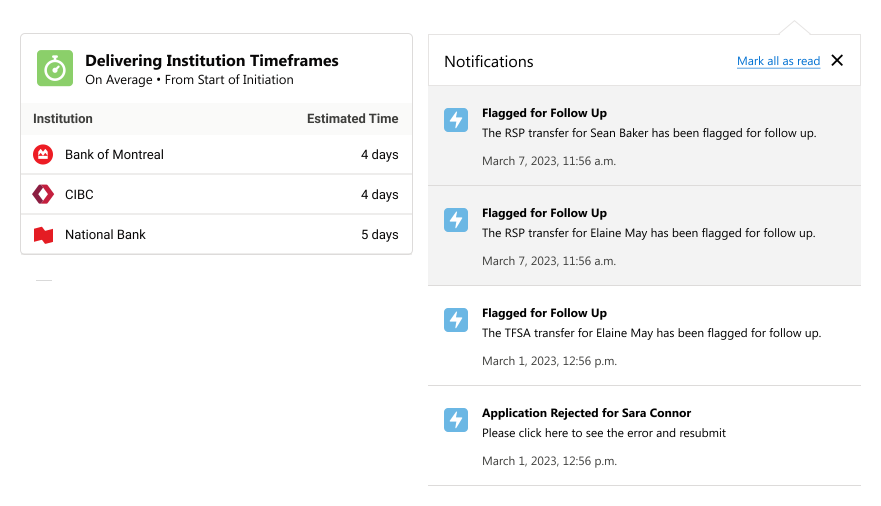
We demonstrated the same functionality embedded within the Salesforce ecosystem.

A Salesforce dashboard with a comprehensive data table and several widgets above it measuring various KPIs.
Two Salesforce modals showing notifications and delivery institution information.

" You really showed us all the things that we currently could be doing and aren't. We didn't give you much detail at all but you still delivered."

- VP, Business Enablement & Efficiency

" You really showed us all the things that we currently could be doing and aren't. We didn't give you much detail at all but you still delivered."

- VP, Business Enablement & Efficiency

" You really showed us all the things that we currently could be doing and aren't. We didn't give you much detail at all but you still delivered."

- VP, Business Enablement & Efficiency

What comes next?

After presenting our solution to positive feedback, we talked about how else we could improve this workflow and add business value.

Creating follow up schedules
Fewer steps with a new summary view

Integrating in-app reminders would allow users to maintain better oversight of their tasks, ensuring that all transfers proceed without unnecessary delays. It's hoped that this would enhances productivity and accountability across teams.

A future improvement involves reducing the number of steps an existing customer would have to take when opening an account. If we have certain details already on file, instead of forcing the user through several steps, we consolidate them into a read only summary view with an option to edit in-line.

Emailing delivering institutions
Fewer steps with a new summary view

Automating follow-up emails with delivering institutions could reduces manual workloads and ensures that transfers are consistently progressing and maintaining momentum.

A future improvement involves reducing the number of steps an existing customer would have to take when opening an account. If we have certain details already on file, instead of forcing the user through several steps, we consolidate them into a read only summary view with an option to edit in-line.

Shoutout to my teammates 🤝

A big thank you to Mario Britz for exploring this workflow with me and Arian Rahimian for his work on a refreshed Nest Wealth visual identity.

Shoutout to my teammates 🤝

A big thank you to Mario Britz for exploring this workflow with me and Arian Rahimian for his work on a refreshed Nest Wealth visual identity.